e-Invoicing


WHAT is e-Invoice?
WHY e-Invoice?
WHO will be affected?
Vendors/Service Providers
| Idenfication type | Company details |
|---|---|
| Bank name | AEON Bank (M) Berhad |
| Taxpayer Identification Number ("TIN") | C 29913184100 |
| Business Registration Number ("BRN") | 202201026163 (1471860-K) |
| Sales and Service Tax Registration Number ("SST") | N/A |
| Malaysian Standard Industrial Classification Code ("MSIC") | 64192 |
Review your e-Invoice information
Keep your details up to date via the AEON Bank or AEON Bank Biz app to ensure a smooth transition to e-Invoicing:
Personal

For Malaysian and non-Malaysian individuals (non-business), providing a TIN is optional. In the absence of a TIN, the e-Invoice will be processed using your NRIC or passport number.
Sales and Service Tax Number ("SST")*
Mailing address
Email address
Contact number
*Only applicable if the invidividual is SST registered.
Business
For Sole Proprietor, Private Limited, Public Limited, Partnership, Society & Association, etc.:

Tax Identification Number ("TIN")
Sales and Service Tax Number ("SST")*
Tourism Tax Number ("TTX")*
*Only applicable if the business is SST or TTX registered.
View your e-Invoice statement
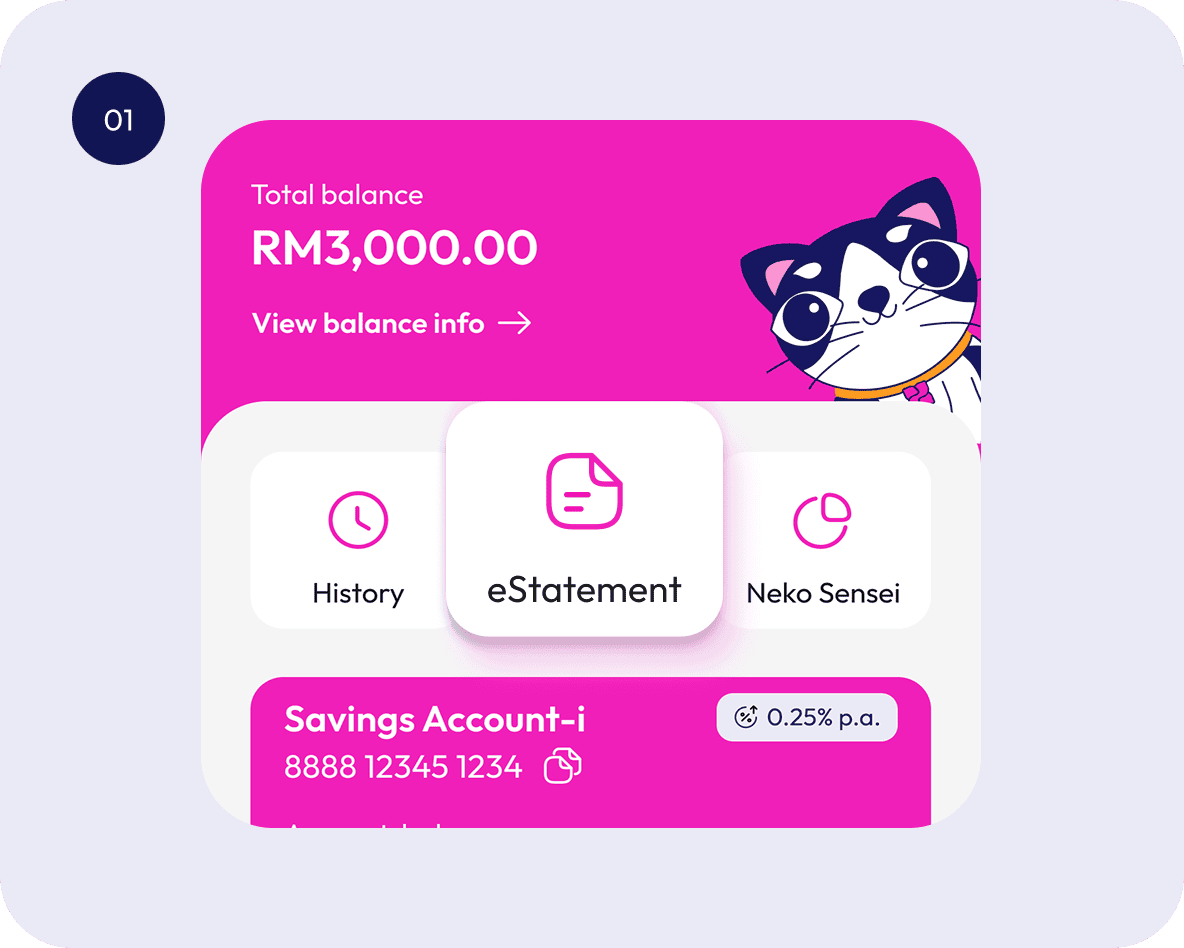
Log in to AEON Bank App
Go to Deposit and tap "eStatement"
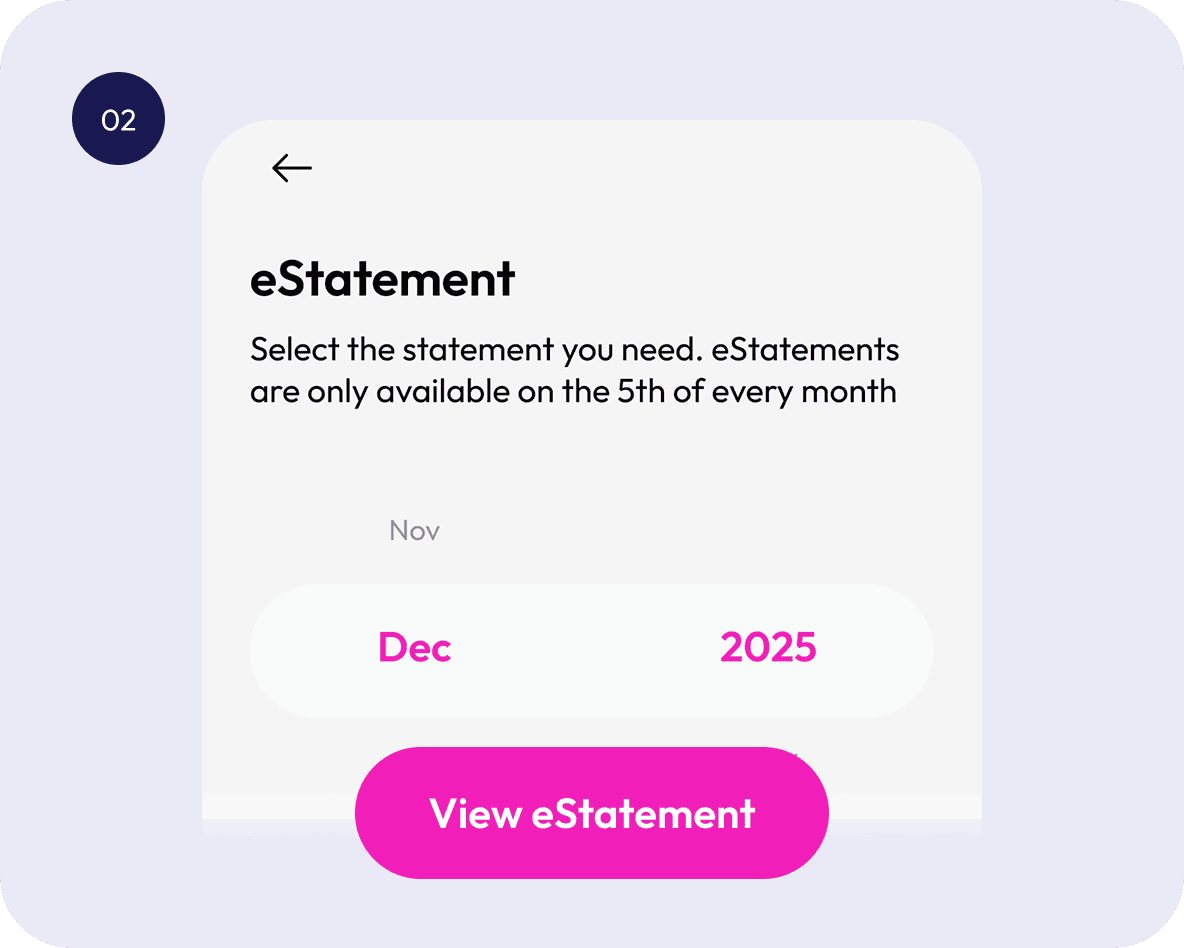
Select your eStatement
Choose the month and year
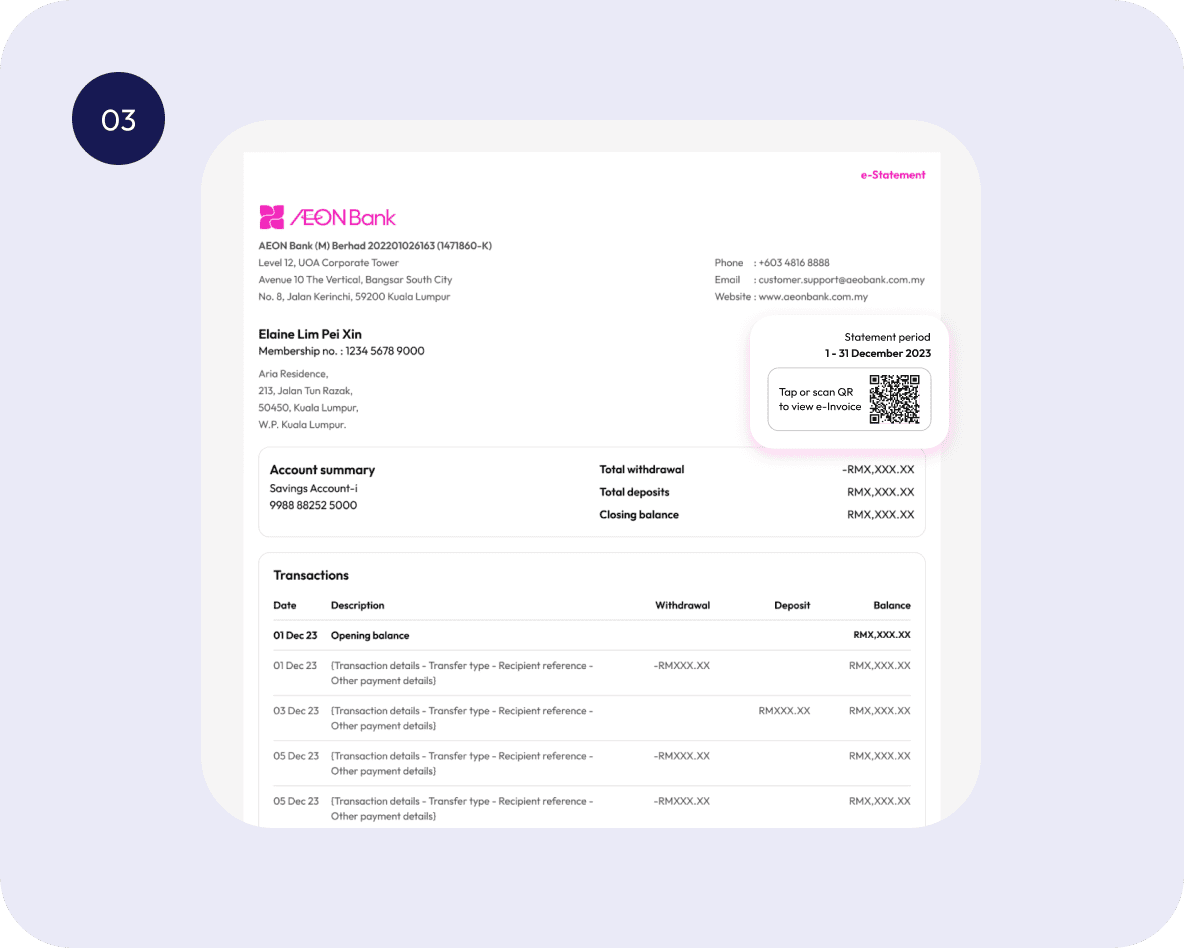
Your eStatement is ready
Scan or tap the QR to view your e-Invoice
Your questions, answered
What is the difference between an e-Invoice and a self-billed e-Invoice?
When is a self-billed e-Invoice issued?
Does e-Invoicing apply only to transactions within Malaysia?
How is my information protected when submitted to the IRBM?